Want to explore cloud computing without spending a dime? The AWS Free Tier is your golden ticket. Packed with 70+ services, it offers real, hands-on experience—perfect for beginners, startups, and developers testing the waters. Let’s dive deep into how you can leverage this powerful offer.

What Is the AWS Free Tier?

Amazon Web Services (AWS) launched the Free Tier to help individuals and businesses explore its cloud platform without financial risk. It’s not a trial—it’s a long-term offer with multiple layers of free usage, designed to support learning, experimentation, and small-scale production workloads.
Definition and Purpose of AWS Free Tier
The AWS Free Tier is a program that allows new AWS customers to use select services at no cost for a specified duration or up to a usage limit. It’s not just marketing fluff—it’s a fully functional access point to AWS’s vast ecosystem. Whether you’re building a personal project or prototyping a startup idea, the Free Tier gives you real infrastructure to work with.
- Available to all new AWS accounts.
- Designed to lower the barrier to entry for cloud adoption.
- Supports educational, developmental, and small production use cases.
Types of Free Tier Offers
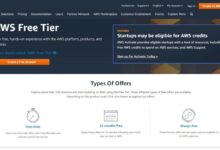
AWS doesn’t offer just one type of free access. Instead, it provides three distinct categories under the Free Tier umbrella:
- Always Free: Certain services are perpetually free within specific usage limits (e.g., AWS Lambda, DynamoDB).
- 12-Month Free: New users get full access to popular services like EC2, S3, and RDS for the first year after account creation.
- Short-Term Trials: Some services offer limited-time free trials (e.g., Amazon Connect, Amazon SageMaker), often beyond the 12-month window.
“The AWS Free Tier is one of the most generous in the industry—giving real value to new users.” — TechRadar, 2023
How to Sign Up for AWS Free Tier
Getting started with the AWS Free Tier is straightforward, but it’s crucial to follow the right steps to ensure you qualify and avoid accidental charges.
Step-by-Step Registration Process
Signing up takes less than 10 minutes. Here’s how to do it:
- Visit the AWS Free Tier homepage.
- Click “Create a Free Account”.
- Enter your email address and create a password.
- Provide your personal information (name, address, phone).
- Enter a valid credit card for identity verification (yes, even for free services).
- Verify your identity via phone call or text message.
- Complete the account setup and log in to the AWS Management Console.
Once registered, your Free Tier eligibility starts immediately and lasts for 12 months from the date of account creation.
Requirements and Eligibility
To qualify for the AWS Free Tier, you must meet the following criteria:
- Be a new AWS customer (no prior paid usage).
- Create an account with a valid email address not previously associated with AWS.
- Provide a working credit card for verification (no charges unless you exceed limits).
- Not have used the 12-month Free Tier in the past.
It’s important to note that AWS may restrict Free Tier access if they detect abuse or suspicious activity, such as spinning up multiple accounts from the same IP.
AWS Free Tier Services: Always Free vs. 12-Month Free
Understanding the difference between Always Free and 12-Month Free services is key to maximizing your benefits without incurring costs.
Always Free Services
These services are available indefinitely, as long as you stay within the usage limits. They’re perfect for lightweight, ongoing projects.
- AWS Lambda: 1 million free requests per month.
- Amazon DynamoDB: 25 GB of storage, 25 units of read capacity, and 25 units of write capacity.
- Amazon S3: 5 GB of standard storage, 20,000 GET requests, and 2,000 PUT requests monthly.
- AWS Identity and Access Management (IAM): Completely free with no usage limits.
- Amazon CloudWatch: 10 custom metrics, 10 alarms, and 1 million API requests.
These services are ideal for microservices, serverless applications, and monitoring small-scale systems.
12-Month Free Services
These are full-featured services available free for the first year. They’re designed to help you build and scale real applications.
- Amazon EC2: 750 hours per month of t2.micro or t3.micro instance (Linux or Windows).
- Amazon RDS: 750 hours of db.t3.micro instance with 20 GB of storage (MySQL, PostgreSQL, etc.).
- Amazon S3: In addition to Always Free, you get expanded request limits during the first year.
- Amazon DynamoDB: Enhanced throughput capacity for the first year.
- AWS Elastic Beanstalk: Free usage of underlying resources (EC2, S3, etc.) within Free Tier limits.
These services allow you to run web servers, databases, and scalable applications without cost for a full year.
Top 5 Most Useful AWS Free Tier Services for Beginners
If you’re just starting out, focus on these five services—they offer the most value and learning potential.
Amazon EC2 (Elastic Compute Cloud)
EC2 is the backbone of AWS computing. The Free Tier gives you 750 hours per month of a t2.micro instance, which is enough to run a small web server 24/7.
- Ideal for hosting websites, APIs, or development environments.
- Supports Linux, Windows, and various AMIs (Amazon Machine Images).
- Pair with Elastic IP to maintain a consistent public IP address (but be cautious—EIPs outside running instances may incur charges).
Tip: Use the AWS Management Console or AWS CLI to launch your first instance. Choose Amazon Linux 2 or Ubuntu for ease of use.
Amazon S3 (Simple Storage Service)
S3 is AWS’s object storage service. The Free Tier includes 5 GB of storage and a generous number of requests.
- Perfect for storing backups, static website files, or user uploads.
- Enable versioning and lifecycle policies to manage data efficiently.
- Host a static website directly from an S3 bucket—completely free within limits.
Check out AWS’s guide on hosting static websites to get started.
AWS Lambda
Lambda lets you run code without provisioning servers. With 1 million free requests and 400,000 GB-seconds of compute time monthly, it’s incredibly powerful for event-driven tasks.
- Automate file processing in S3 (e.g., resize images when uploaded).
- Build serverless APIs using API Gateway + Lambda.
- Trigger Lambda functions from DynamoDB streams or CloudWatch events.
Lambda is a gateway to serverless architecture—master it early.
Amazon RDS (Relational Database Service)
RDS simplifies database management. The Free Tier includes 750 hours of a db.t3.micro instance with 20 GB of storage.
- Supports MySQL, PostgreSQL, MariaDB, Oracle, and SQL Server (Express Edition).
- Automated backups, patching, and monitoring included.
- Great for learning SQL, building apps, or running small production databases.
Be mindful: RDS snapshots beyond the free tier may incur storage costs. Delete unused snapshots regularly.
Amazon DynamoDB
DynamoDB is a NoSQL database that scales automatically. The Always Free tier includes 25 GB of storage and 25 write/25 read capacity units.
- Perfect for mobile apps, gaming backends, and IoT data.
- Low-latency performance with single-digit millisecond response times.
- Integrates seamlessly with Lambda and API Gateway.
Use the AWS SDK or CLI to interact with DynamoDB. It’s a great way to learn NoSQL concepts.
How to Avoid Unexpected Charges on AWS Free Tier
Many users accidentally incur charges by exceeding Free Tier limits. Here’s how to stay safe.
Common Pitfalls and Mistakes
Even experienced developers can make costly mistakes. Watch out for these:
- Running EC2 instances in the wrong region or availability zone.
- Leaving instances running 24/7 without monitoring usage.
- Using instance types beyond t2.micro or t3.micro (e.g., t3.small or m5.large).
- Storing data in EBS volumes beyond the free 30 GB included with EC2.
- Transferring large amounts of data out of AWS (data transfer costs apply after 100 GB/month).
One common mistake is launching a Windows EC2 instance, which consumes more Free Tier hours due to higher cost metrics.
Best Practices for Staying Within Limits
Follow these strategies to avoid surprise bills:
- Set up AWS Budgets to receive alerts when usage approaches limits.
- Use Cost Explorer to monitor daily spending.
- Terminate unused resources (EC2, RDS, EBS volumes) immediately.
- Use CloudWatch Alarms to notify you if an instance runs too long.
- Enable Free Tier Alerts in the AWS Console.
“I got a $50 bill because I forgot to stop my EC2 instance. Now I use AWS Budgets religiously.” — Reddit user, r/aws
Real-World Projects You Can Build Using AWS Free Tier
The AWS Free Tier isn’t just for learning—it’s powerful enough to run real applications.
Personal Portfolio Website
Host a static portfolio site using S3 and CloudFront (CDN). Use Route 53 for a custom domain (optional, may incur cost) or use the default S3 website endpoint.
- Store HTML, CSS, JS, and images in an S3 bucket.
- Enable static website hosting in bucket properties.
- Secure it with HTTPS using AWS Certificate Manager (ACM) and CloudFront.
This setup is 100% free within usage limits and loads fast globally.
Serverless API with Lambda and API Gateway
Build a REST API that returns JSON data (e.g., a todo list or weather proxy).
- Write a Lambda function in Node.js or Python.
- Connect it to API Gateway to expose an HTTPS endpoint.
- Use DynamoDB to store and retrieve data.
You can handle thousands of requests per month without paying a cent.
Automated Image Resizer
Create a system that automatically resizes images when uploaded to S3.
- Set up an S3 bucket for image uploads.
- Trigger a Lambda function on S3 upload event.
- Use libraries like Sharp (Node.js) or Pillow (Python) to resize images.
- Save resized versions to another S3 folder.
This is a real-world automation used by many photo-sharing platforms.
Monitoring and Managing Your AWS Free Tier Usage
Staying on top of your usage is critical to avoiding overages.
Using AWS Cost Explorer and Budgets
AWS provides powerful tools to track your spending:
- Cost Explorer: Visualize your usage and costs over time. Filter by service and Free Tier eligibility.
- Budgets: Set custom thresholds (e.g., $0.01) to receive email/SMS alerts.
- Trusted Advisor: Get recommendations on cost optimization, security, and fault tolerance.
Access these tools from the AWS Management Console under “Billing & Cost Management.”
Setting Up Billing Alerts
Proactive alerts can save you money:
- Go to AWS Budgets and create a new budget.
- Choose “Cost budget” and set the period to monthly.
- Set the budget amount to $0.01 to catch any charges immediately.
- Add email notifications for threshold breaches.
You can also use AWS SNS (Simple Notification Service) to automate alerts to Slack or other platforms.
What Happens After 12 Months? Upgrading from AWS Free Tier
Your 12-month Free Tier expires automatically. Here’s what to expect and how to plan ahead.
Service Expiration and Transition
After 12 months, any service that was part of the 12-month offer will start accruing charges based on standard pricing.
- EC2 instances, RDS databases, and Elastic Load Balancers will no longer be free.
- Always Free services (Lambda, DynamoDB, S3) continue as long as you stay within limits.
- AWS sends email reminders 30, 15, and 1 day before expiration.
You won’t lose your data—your resources will keep running, but you’ll be billed.
Cost-Effective Alternatives Post-Free Tier
If you’re not ready to pay full price, consider these options:
- Downgrade to smaller instances or use Spot Instances for up to 90% savings.
- Migrate to Always Free services where possible.
- Use AWS Educate or startup programs for extended credits.
- Leverage Savings Plans for long-term discounts.
Many startups continue using AWS post-Free Tier by optimizing resource usage and leveraging auto-scaling.
Is the AWS Free Tier really free?
Yes, the AWS Free Tier is genuinely free as long as you stay within the usage limits. AWS does not charge for eligible services during the Free Tier period. However, if you exceed the limits (e.g., run an EC2 instance beyond 750 hours/month), you will be billed at standard rates. Always monitor your usage to avoid unexpected charges.
Can I extend the 12-month AWS Free Tier?
No, the 12-month Free Tier cannot be extended. It’s a one-time offer for new AWS accounts. However, many Always Free services remain available indefinitely. AWS also offers promotional credits through programs like AWS Educate, Activate, and Startup Loft for eligible users.
Does AWS Free Tier include support?
Yes, but limited. Free Tier users get access to the Basic Support plan, which includes 24/7 access to customer service, documentation, whitepapers, and support forums. However, there’s no direct technical support (phone/email) unless you upgrade to Developer, Business, or Enterprise Support plans.
Can I use AWS Free Tier for a production website?
Yes, but with caution. You can host small production websites using S3 (static sites), Lambda, and DynamoDB—all of which are Always Free. For dynamic sites using EC2 or RDS, you can run them free for 12 months. However, ensure you monitor usage closely and have a plan for when the Free Tier expires.
What happens if I exceed Free Tier limits?
If you exceed usage limits, AWS will automatically charge your credit card at standard rates. For example, running an EC2 instance for 800 hours in a month will charge you for the extra 50 hours. To avoid this, set up billing alerts and use Cost Explorer to track usage in real time.
The AWS Free Tier is a game-changer for anyone looking to enter the cloud space. With over 70 services, 12 months of free access, and perpetual free options, it’s one of the most generous offers in tech. Whether you’re a student, developer, or entrepreneur, you can build real projects, gain hands-on experience, and scale without upfront costs. Just remember to monitor your usage, set up alerts, and plan for the transition after 12 months. The cloud is yours to explore—start today.
Further Reading: