If you’re building applications in the cloud, AWS RDS is a game-changer. It simplifies database management, boosts performance, and scales effortlessly—making it a top choice for developers and enterprises alike.

What Is AWS RDS and Why It Matters

Amazon Web Services (AWS) Relational Database Service (RDS) is a managed service that makes it easy to set up, operate, and scale relational databases in the cloud. Instead of dealing with the complexities of hardware provisioning, software patching, and backups, AWS RDS handles much of the heavy lifting for you.
Core Definition and Purpose
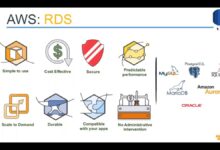
AWS RDS is not a database itself but a service that manages relational databases. It supports several popular database engines, including MySQL, PostgreSQL, Oracle, SQL Server, MariaDB, and Amazon Aurora. The primary goal of AWS RDS is to reduce the administrative burden on IT teams while ensuring high availability, security, and performance.
- Supports six major database engines
- Automates time-consuming administrative tasks
- Enables rapid deployment of database instances
By abstracting the infrastructure layer, AWS RDS allows developers to focus on application logic rather than database maintenance. This shift is especially valuable in agile development environments where speed and reliability are critical.
How AWS RDS Fits into the Cloud Ecosystem
In the broader AWS ecosystem, RDS plays a pivotal role in data storage and retrieval. It integrates seamlessly with other AWS services like EC2, Lambda, S3, and CloudWatch. For example, you can use Amazon S3 to store database backups or leverage AWS Lambda to trigger functions based on database events.
Moreover, RDS works hand-in-hand with AWS Identity and Access Management (IAM) to enforce fine-grained access control. This integration ensures that only authorized users and applications can interact with your databases, enhancing overall security posture.
“AWS RDS allows organizations to offload database administration so they can focus on innovation.” — AWS Official Documentation
Key Features That Make AWS RDS Stand Out
AWS RDS isn’t just about convenience—it’s packed with enterprise-grade features designed to deliver performance, resilience, and ease of use. These features are what set it apart from self-managed databases or competing cloud solutions.
Automated Backups and Point-in-Time Recovery
One of the most powerful features of AWS RDS is its automated backup system. You can enable automated backups with a single click, and RDS will take daily snapshots of your database. These snapshots, combined with transaction logs, allow you to restore your database to any point within a retention period (up to 35 days).
This capability is crucial for disaster recovery. If data is accidentally deleted or corrupted, you can restore the database to a state just before the incident. No manual scripting or third-party tools are required.
- Daily automated snapshots
- Transaction log archiving every 5 minutes
- Point-in-time recovery down to the second
Learn more about AWS RDS backups here.
High Availability with Multi-AZ Deployments
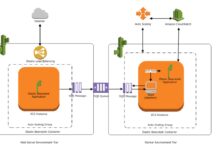
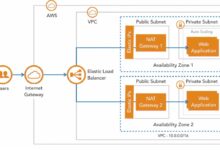
For mission-critical applications, downtime is not an option. AWS RDS offers Multi-AZ (Availability Zone) deployments, which automatically provision a standby replica in a different Availability Zone. If the primary database fails, RDS automatically fails over to the standby with minimal disruption.
This setup ensures high availability and data durability. While the standby is not used for read scaling (unlike read replicas), it’s always synchronized and ready to take over.
- Automatic failover in under 60 seconds
- Data replicated synchronously across zones
- No manual intervention required during outages
Multi-AZ is ideal for production environments where uptime SLAs are strict. It’s also a requirement for many compliance standards.
Scalability and Performance Insights
As your application grows, so does your database workload. AWS RDS allows you to scale compute and storage independently. You can upgrade your instance class (e.g., from db.t3.medium to db.r5.large) with minimal downtime, often through a simple console action.
Storage auto-scaling is another standout feature. You can configure RDS to automatically increase storage when usage approaches the limit, preventing outages due to disk full errors.
Performance Insights, a built-in monitoring tool, helps you identify SQL queries that are consuming excessive CPU or I/O. This visibility is essential for optimizing database performance and reducing costs.
- Vertical scaling with instance resizing
- Auto-scaling storage for MySQL, PostgreSQL, and Aurora
- Real-time performance monitoring with SQL-level detail
Explore Performance Insights on the AWS site.
Supported Database Engines in AWS RDS
AWS RDS supports multiple relational database engines, giving you flexibility to choose the right tool for your workload. Each engine has its own strengths, licensing models, and use cases.
Amazon Aurora: The Flagship Engine
Amazon Aurora is AWS’s proprietary database engine, designed to be compatible with MySQL and PostgreSQL while offering superior performance and availability. Aurora can handle up to five times the throughput of standard MySQL and three times that of PostgreSQL.
It’s built for the cloud from the ground up, with a distributed, fault-tolerant storage system that automatically replicates data across six storage nodes in three Availability Zones.
- Up to 128TB of auto-scaling storage per instance
- High-performance replication with low latency
- Serverless option (Aurora Serverless v2) for variable workloads
Aurora is often the best choice for new applications due to its performance, scalability, and cost-efficiency at scale.
MySQL and PostgreSQL: Open-Source Powerhouses
MySQL and PostgreSQL are two of the most popular open-source databases, and AWS RDS provides full support for both. They are ideal for applications that require community-driven development, extensive documentation, and broad third-party tool integration.
MySQL is known for its speed and ease of use, making it a favorite for web applications. PostgreSQL, on the other hand, excels in complex queries, JSON support, and extensibility, making it suitable for data-heavy applications.
- MySQL: Great for LAMP stack applications
- PostgreSQL: Ideal for geospatial, analytics, and JSON workloads
- Both support read replicas for read scaling
For more details, visit the AWS MySQL page and AWS PostgreSQL page.
Oracle and SQL Server: Enterprise Legacy Support
For enterprises with existing investments in Oracle or Microsoft SQL Server, AWS RDS provides a managed path to the cloud. You can migrate your on-premises databases with minimal changes.
However, licensing costs can be high. AWS offers both license-included and bring-your-own-license (BYOL) options. The license-included model simplifies procurement but may be more expensive in the long run.
- Oracle: Supports advanced features like partitioning and advanced security
- SQL Server: Integrates well with .NET applications and Active Directory
- Both support Multi-AZ and read replicas
These engines are best suited for legacy applications that cannot be easily re-architected.
Setting Up Your First AWS RDS Instance
Getting started with AWS RDS is straightforward, whether you’re using the AWS Management Console, CLI, or Infrastructure as Code (IaC) tools like Terraform.
Step-by-Step Guide via AWS Console
1. Log in to the AWS Management Console and navigate to the RDS dashboard.
2. Click “Create database”.
3. Choose a database engine (e.g., MySQL, PostgreSQL, Aurora).
4. Select a template (e.g., Dev/Test, Production).
5. Configure instance settings: instance class, storage, and network (VPC).
6. Set up credentials (master username and password).
7. Enable or disable features like Multi-AZ, backups, and encryption.
8. Review and create the instance.
The process takes 10–15 minutes. Once complete, you’ll receive an endpoint (e.g., mydb.c123456789012.us-east-1.rds.amazonaws.com) that you can use to connect your application.
- Use security groups to control access
- Enable encryption at rest for compliance
- Monitor creation status in the RDS console
Follow the official AWS Getting Started Guide for detailed instructions.
Using CLI and Terraform for Automation
For repeatable and scalable deployments, automation is key. The AWS CLI allows you to create RDS instances using commands like:
aws rds create-db-instance
    --db-instance-identifier mydb
    --db-instance-class db.t3.micro
    --engine mysql
    --master-username admin
    --master-user-password mysecretpassword
    --allocated-storage 20
For infrastructure-as-code, Terraform is a powerful option. Here’s a simple example:
resource "aws_db_instance" "mydb" {
  allocated_storage      = 20
  engine                 = "mysql"
  instance_class         = "db.t3.micro"
  name                   = "mydb"
  username               = "admin"
  password               = "mysecretpassword"
  parameter_group_name   = "default.mysql5.7"
}
Automation ensures consistency across environments (dev, staging, prod) and supports DevOps practices like CI/CD.
Security and Compliance in AWS RDS
Security is a top priority when managing databases in the cloud. AWS RDS provides multiple layers of protection to safeguard your data.
Network Security with VPC and Security Groups
All RDS instances should be deployed within a Virtual Private Cloud (VPC). This isolates your database from the public internet. You can then use security groups to define which EC2 instances or IP addresses can connect to the database.
Best practices include:
– Placing RDS instances in private subnets
– Allowing access only from application servers
– Using least-privilege principles
- VPCs provide network isolation
- Security groups act as virtual firewalls
- Use Network ACLs for additional layer
Never expose your RDS instance to the public internet unless absolutely necessary—and even then, use SSL and strong authentication.
Data Encryption at Rest and in Transit
AWS RDS supports encryption at rest using AWS Key Management Service (KMS). When enabled, your data, logs, and snapshots are encrypted. You can also enforce SSL/TLS for data in transit to prevent eavesdropping.
Encryption is essential for compliance with standards like GDPR, HIPAA, and PCI-DSS. Once enabled, encryption cannot be disabled—only rotated.
- Use AWS KMS for key management
- Enable SSL for all client connections
- Rotate encryption keys regularly
Check the AWS RDS encryption guide for setup steps.
IAM Integration and Authentication
AWS RDS supports IAM database authentication for MySQL and PostgreSQL. This allows you to manage database access using IAM policies instead of traditional passwords. Users can authenticate with temporary tokens, reducing the risk of credential leaks.
This feature is especially useful in dynamic environments where users and roles change frequently.
- No need to manage database passwords
- Integration with federated identity providers
- Supports MFA and role-based access
IAM authentication enhances security and simplifies compliance audits.
Monitoring, Maintenance, and Cost Optimization
Running AWS RDS in production requires ongoing monitoring and cost management. AWS provides tools to help you stay on top of performance and spending.
Using CloudWatch and Performance Insights
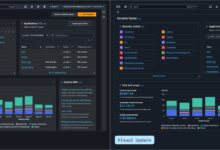
Amazon CloudWatch collects metrics from your RDS instances, including CPU usage, memory, disk I/O, and connections. You can set alarms to notify you when thresholds are exceeded.
Performance Insights goes deeper, showing which SQL queries are consuming the most resources. This helps you identify slow queries and optimize them.
- Monitor CPU, memory, and disk usage
- Set up alarms for high load
- Analyze top SQL statements
For example, if your CPU spikes to 90%, you can drill down to see if a specific query is causing the issue.
Automated Patching and Minor Version Upgrades
AWS RDS can automatically apply minor engine updates during your maintenance window. This keeps your database secure and up-to-date without manual intervention.
You can choose to enable or disable auto-upgrades. For production systems, it’s recommended to test patches in a staging environment first.
- Schedule maintenance windows
- Receive notifications before updates
- Roll back if issues arise (limited support)
Major version upgrades require manual initiation and testing.
Cost-Saving Strategies for AWS RDS
RDS costs can add up, especially with large instances or long retention periods. Here are proven ways to reduce expenses:
- Use Reserved Instances for predictable workloads (up to 60% savings)
- Delete unused snapshots and instances
- Scale down during off-peak hours (e.g., dev environments)
- Use Aurora Serverless for variable traffic
- Enable storage auto-scaling to avoid over-provisioning
Regularly review your RDS usage with AWS Cost Explorer to identify savings opportunities.
Common Use Cases and Real-World Applications
AWS RDS is used across industries for a wide range of applications. Its flexibility and reliability make it suitable for both startups and large enterprises.
Web and Mobile Application Backends
Most web and mobile apps require a backend database to store user data, content, and transactions. AWS RDS is a natural fit for this role, especially when paired with EC2 or Elastic Beanstalk.
For example, a social media app might use PostgreSQL on RDS to store user profiles, posts, and comments. As traffic grows, read replicas can be added to handle increased read load.
- Supports high-traffic websites
- Integrates with serverless backends (API Gateway + Lambda)
- Enables rapid development cycles
Companies like Airbnb and Netflix have used AWS RDS at scale.
Data Warehousing and Analytics
While RDS is not a data warehouse, it can serve as a source for analytics. You can use AWS DMS (Database Migration Service) to replicate data from RDS to Amazon Redshift or Amazon Athena for analysis.
For real-time analytics, Aurora PostgreSQL with its advanced JSON and geospatial support is particularly effective.
- Feed data to Redshift for BI reporting
- Use Aurora for real-time dashboards
- Enable read replicas for reporting workloads
This separation of OLTP and OLAP workloads ensures production performance isn’t impacted by analytics queries.
Disaster Recovery and Business Continuity
With automated backups, Multi-AZ, and cross-region replication, AWS RDS is a cornerstone of disaster recovery strategies.
You can set up read replicas in different regions and promote them to primary if needed. This provides geographic redundancy and protects against regional outages.
- Enable cross-region read replicas
- Test failover procedures regularly
- Use S3 for long-term backup archives
Many financial institutions use this setup to meet strict uptime and data retention requirements.
Best Practices for Managing AWS RDS
To get the most out of AWS RDS, follow these best practices:
Always Enable Backups and Monitoring
Never run a production RDS instance without automated backups and monitoring. These are your first line of defense against data loss and performance issues.
- Set backup retention to at least 7 days
- Enable CloudWatch alarms for critical metrics
- Use Performance Insights for query optimization
Use Read Replicas for Read-Heavy Workloads
If your application performs more reads than writes, deploy one or more read replicas. These replicas offload read traffic from the primary instance, improving overall performance.
Note: Read replicas have replication lag, so they’re not suitable for real-time data.
- Supports up to 15 read replicas per instance
- Can be promoted to standalone instances
- Available for MySQL, PostgreSQL, Oracle, SQL Server, and Aurora
Regularly Review and Optimize Costs
Cost optimization is an ongoing process. Regularly audit your RDS instances, delete unused resources, and consider Reserved Instances for long-term savings.
- Use AWS Trusted Advisor for cost recommendations
- Tag resources for cost allocation
- Monitor storage usage to avoid over-provisioning
What is AWS RDS?
AWS RDS (Relational Database Service) is a managed database service by Amazon Web Services that simplifies setting up, operating, and scaling relational databases in the cloud. It supports engines like MySQL, PostgreSQL, Oracle, SQL Server, and Amazon Aurora.
How much does AWS RDS cost?
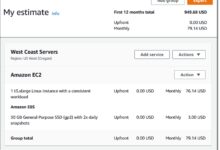
Costs vary based on instance type, storage, data transfer, and database engine. Pricing starts from under $0.02/hour for small instances. Additional costs apply for backups, snapshots, and I/O operations. Use the AWS Pricing Calculator for estimates.
Is AWS RDS secure?
Yes, AWS RDS offers robust security features including encryption at rest and in transit, network isolation via VPC, IAM integration, and security groups. It also complies with standards like GDPR, HIPAA, and PCI-DSS.
Can I scale AWS RDS automatically?
Yes, AWS RDS supports automatic storage scaling for certain engines (MySQL, PostgreSQL, Aurora). Compute scaling requires manual instance resizing, but can be automated via scripts or DevOps pipelines. Aurora Serverless offers fully automatic compute scaling.
What is the difference between RDS and Aurora?
Aurora is a MySQL- and PostgreSQL-compatible database engine offered by AWS RDS. It provides higher performance, scalability, and availability compared to standard RDS engines. Aurora is optimized for the cloud and can deliver up to 5x the throughput of MySQL.
In summary, AWS RDS is a powerful, flexible, and secure managed database service that empowers developers and organizations to focus on building applications rather than managing infrastructure. With support for multiple engines, automated backups, high availability, and deep integration with the AWS ecosystem, it’s a top choice for cloud-native and hybrid environments. Whether you’re launching a startup or running enterprise workloads, AWS RDS provides the tools you need to succeed in the cloud.
Recommended for you 👇
Further Reading: